

Online tests are now common in schools and workplaces. They help people learn new skills and prove what they know. But making a good online test is not always simple. You need the right tools and clear help.
This is where test.com product documentation features can be useful. Test.com is linked with Gauge, an online testing platform. Gauge helps groups create tests and manage users. It also helps them check scores and keep test records.
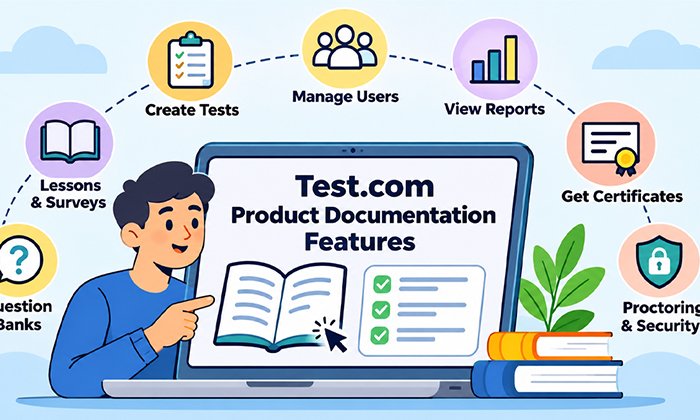
In this guide, we will explain the main tools in very easy words. We will look at test building, question types, user controls, exam settings, and proctoring. We will also explain why clear product guides matter in 2026.
What Are Test.com Product Documentation Features?
Product documentation is a set of help guides. These guides show people how a product works. They may explain how to set up an account, create content, change settings, fix problems, and use important tools.
The test.com product documentation features help Gauge users learn these tasks. An admin may need help making a test. Another person may want to learn how user groups work. Clear guides can make these jobs much easier.
It is also important to avoid name confusion. Test.com and Gauge should not be mixed up with other testing websites that have similar names. In this article, our main focus is Test.com and its Gauge online testing platform.
How Test.com and Gauge Work
Gauge is made for groups that need online tests and learning tools. A business may use it for staff training. A school may use it for tests. A professional group may use it for certification programs.
Admins control much of the platform. They can create tests, add questions, manage users, and review results. Test takers can sign in and complete the content given to them. Their experience depends on the settings chosen by the admin.
Think about a company training new workers. It can share a lesson first. Then, it can give workers a short test. After they finish, the company can review the results and see who may need more help.
Test.com Product Documentation Features for Creating Tests
Test building is one of the main parts of Gauge. The product guides explain how an admin can start a test, give it a name, add questions, and choose settings. This creates a clear path for new users.
Admins can also use question banks. A question bank stores questions that may be used again. This is useful when a group runs many tests. It saves time because the same useful questions do not need to be written again.
Tests may also have different sections. For example, a safety exam could have sections for tools, rules, and emergency steps. Each part can focus on a different skill. Admins should still review every question before a real test begins.
Test.com Product Documentation Features for Questions
A good exam often needs more than one type of question. Gauge documentation describes several question formats. These may include multiple choice, multiple answer, matching, essays, sorting, rating scales, and fill-in-the-blank questions.
Admins can choose a question type based on what they want to test. A multiple choice question may work for a simple fact. An essay may be better when a person needs to explain an idea in their own words.
Questions can also use added content, such as pictures, audio, or video. Instructions, hints, and answer details may also be added. Before using media in a live exam, it is smart to test it on the devices candidates will use.
Test.com Product Documentation Features for Users
Online exams need good user controls. Gauge provides tools for creating and managing user accounts. Admins can organize people into groups. They can then control which tests or learning items each group can access.
For example, a company may have sales, safety, and support teams. Each team may need different training. Groups make it easier to give the right test to the right people without setting up every person one by one.
Some users may also receive stronger admin rights. Gauge uses roles such as Superusers for wider control. These rights should be given with care. Too many powerful accounts can make it harder to keep data and settings safe.
Test Settings and Exam Delivery
The test.com product documentation features also cover settings that control how an exam works. Admins may set time limits, passing rules, allowed attempts, and other choices. These settings can change the full test experience.
Questions or answers may also be placed in a different order. This can help make test sessions less alike. Still, random order alone cannot make an exam fair. Good questions and clear rules are just as important.
Before a big exam, admins should create a sample test. They should check login, questions, media, time limits, scoring, and results. A small test run can find simple mistakes before hundreds of people face the same problem.
Test.com Product Documentation Features for Proctoring
Some exams need more control because the results are very important. Proctoring means watching or checking a test session. Gauge documentation describes options for supervised testing and possible virtual proctoring services.
Depending on the service, remote proctoring may use identity checks, cameras, or recorded sessions. Some services may come from outside providers. They may also need extra plans or fees. Groups should confirm these details before making promises to candidates.
Privacy also matters. People should know if a camera or recording will be used. Groups should explain the rules before exam day. They should also check access needs and local rules. Clear information helps make the testing process safer and fairer.
Test.com Product Documentation Features for Scoring
Scoring is a big part of any online test. Gauge can score some question types by itself. This may include questions with set answers. It can save admins time, mainly when many people take the same test.
Some answers may need a person to check them. Essays are a good example. An admin or teacher may need to read the answer before giving a score. Some questions may also allow partial credit when only part of an answer is right.
Admins should test the scoring rules before a real exam starts. Try correct, wrong, and blank answers. Also, check the passing score. This simple step can help find scoring mistakes before they affect real test takers.
Up Next: Nathan Blecharczyk and Greg Hayes: The Truth About Their Connection
Reports, Certificates, and Test Results
Results help people understand what happened after a test. Gauge offers reporting tools that can show test scores and user activity. Admins may use this data to see who passed and where learners had trouble.
Certificates may also be linked to certain completion or passing rules. A certificate can give a learner proof that a course or test was finished. Admins should check the certificate setup before giving a real exam.
Reports may also be saved or exported in supported formats. This can help a company keep training records. Still, exported files may contain private details. They should only be shared with people who truly need them.
Lessons, Surveys, and Learning Programs
The test.com product documentation features cover more than exams. Gauge also includes learning tools, such as lessons and surveys. This means a group can teach people, test their knowledge, and collect feedback in one system.
Imagine a company teaching workers about fire safety. It could first give them a short lesson. Next, workers could take a test. After that, a survey could ask if the lesson was clear and helpful.
Programs can also bring several learning items together. This may help groups build a clear learning path. However, admins should check the exact rules in their account before setting up a large training program.
Test.com Product Documentation Features for Integrations
Some groups need Gauge to work with other systems. The platform information describes tools such as an API, webhooks, and single sign-on. These tools can help different systems share information and work together.
For example, a company may already have a system that stores worker accounts. An integration may help move needed user data between that system and Gauge. This can cut down on repeated work for admins.
Some advanced tools may depend on the account or plan. Branding, email settings, and other options can also differ. In 2026, it is smart to confirm the exact features you get before paying for a plan.
Up Next: Jim Taiclet and Martin Scorsese: Is There a Real Connection?
Security, Privacy, and Important Limits
Online tests can hold private information. This may include names, email addresses, scores, and training records. Good security rules can help keep this information away from people who should not see it.
Admin rights should also be given with care. Not every worker needs full control. Give each person only the access needed for their job. This simple rule can lower the chance of unwanted changes or data problems.
It is also important to know that a feature shown in documentation may not be part of every account. Some test.com product documentation features may need a certain plan, setting, or outside service. Always confirm important details first.
Benefits of Test.com Product Documentation Features
Clear product guides can save a lot of time. A new admin does not need to guess where every setting is found. They can use the documentation to learn basic tasks and understand how different parts of Gauge work.
Good guides may also help reduce mistakes. Imagine setting the wrong passing score for 500 workers. That small mistake could create a big problem. Reading the right guide and running a sample test may prevent it.
Documentation can also help teams work in the same way. One admin can follow the same steps as another. This makes test setup easier to repeat and can make staff training much simpler.
How to Use Test.com Documentation Before Choosing Gauge
Start with your real needs. Ask how many people will take tests. Think about question types, reports, certificates, user groups, proctoring, and other systems that may need to connect with Gauge.
Next, build a small sample exam. Take it like a real candidate would. Check the login process, instructions, questions, media, timer, scoring, results, and certificate. This can show problems that are easy to miss on an admin page.
Finally, confirm pricing and plan limits with the provider. Ask which features are included and which may cost more. Also, check support, data rules, integrations, and proctoring needs before using the system for an important exam.
Conclusion
Test.com product documentation features can help new and skilled admins understand Gauge more easily. The guides cover important areas, such as test building, question banks, user controls, exam settings, scoring, reports, certificates, and learning tools.
The platform can also support lessons, surveys, proctoring, and connections with other systems. Yet, every group has different needs. A tool that works well for one company may need a different setup for another company.
The best way to start is simple. Read the guides that match your needs. Build a small test. Check every step yourself. Then, confirm plan details before a large launch. This can make online testing clearer, safer, and easier to manage.
(FAQs)
What are Test.com product documentation features?
They are help guides that explain how Gauge works. They cover test creation, questions, users, scoring, reports, certificates, and settings. These guides can help admins avoid simple mistakes.
Is Test.com the same as Tests.com?
No. This can surprise many readers. Test.com is linked with Gauge, an online assessment platform. Tests.com is a different website that mainly provides practice exams and study tools.
Can Gauge score every test automatically?
No. Some questions can be scored automatically. Essays and similar answers may need a person to review them. Admins should always check scoring rules before starting an important exam.
Does Gauge offer online proctoring?
Gauge documentation describes proctoring options for supervised exams. Some services may use outside providers and may cost extra. Organizations should check their plan, privacy rules, and technical needs first.
Are all Gauge features included with every account?
Not always. Some tools may depend on your plan, account settings, or extra services. This is why users should confirm important features, costs, and limits before choosing Gauge.
